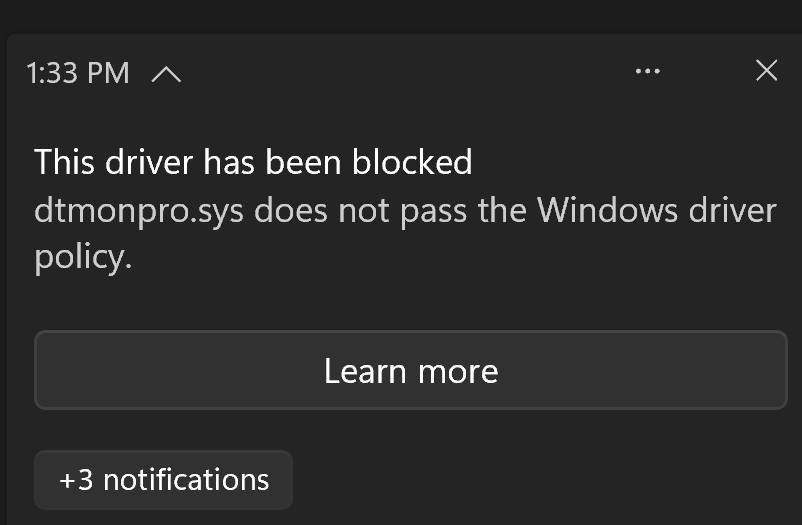
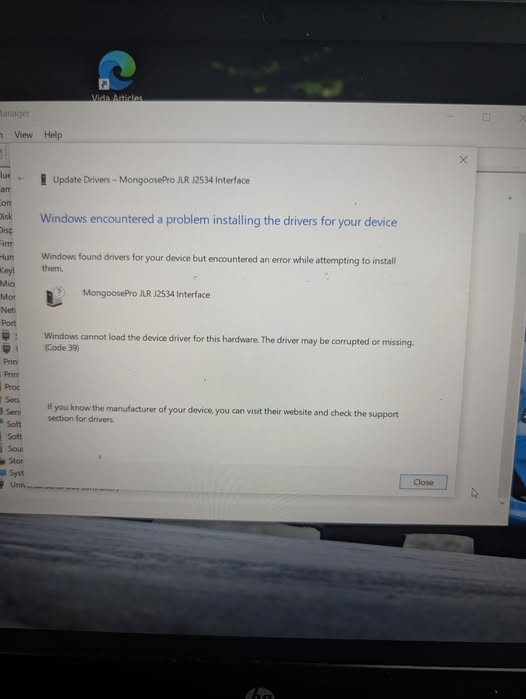
Recent security updates from Microdaft have depreciated an older driver certificate signing method that prevents older drivers from being trusted and used.
This “feature” has broken thousands of fully functional pieces of hardware and assigned them to the E-waste scrap heap.
Luckily there is a solution for us.
This fix does not make or need any changes to windows security as it is just updated drivers.
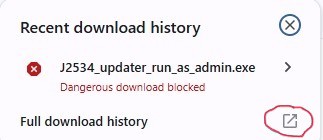
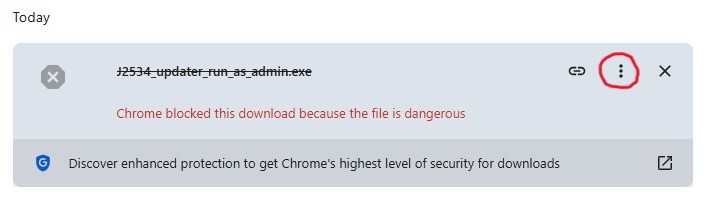
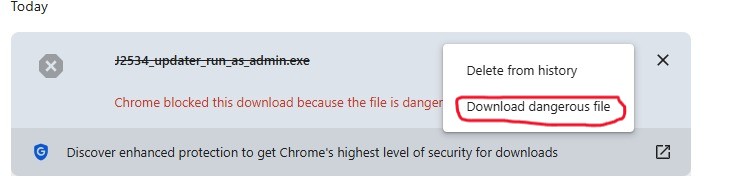
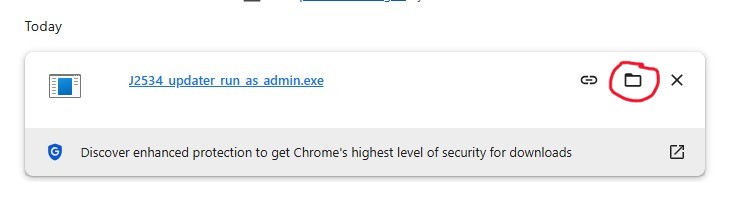
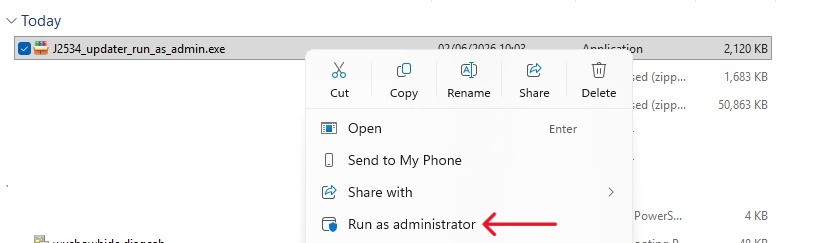
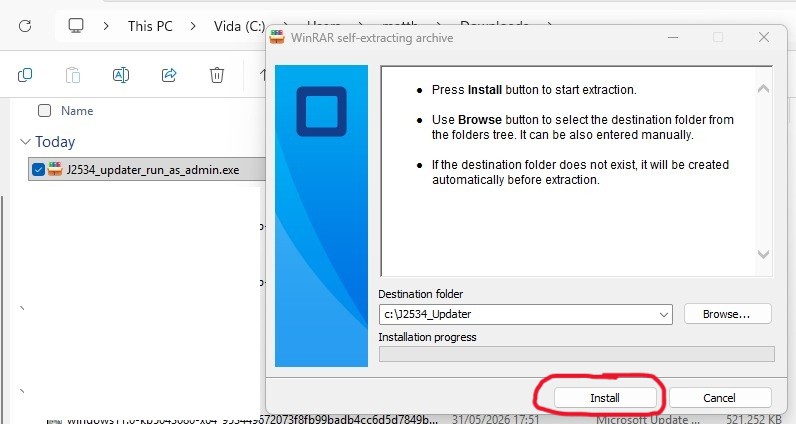
Download and run this update (Once downloaded, Right click and run as administrator), and it will be fixed. Your browser may want to block it’s download, your Antivirus might want to eat it. it is not a virus. It is not dangerous. See very bottom of this page for how to deal with it.
This update requires that the the old driver package is already installed, so if you have been messing about trying to fix it, you may need to reinstall the older package.
You can follow this guide or these instructions…….
FYI YOU DO NOT HAVE TO PLUG THE CABLE IN DURING INSTALLATION AT ALL
Once you have a working Vida / VDASH installation , quit Vida / VDASH, then download and run the Driver package relevant to your operating system from the links below .
x86 for 32bit Windows or x64 for 64bit Windows (most are 64bit these days)
(Follow this link if you do not know if you are 32 or 64 bit)
32bit windows is also known as x86 , 64bit windows is also known as x64
When it starts installing click next, accept the license terms and hit next, then next, then install, then ok, then Finish.
Then install the Update as mentioned above
Now when you start Vida, on the Vehicle profile tab, under the Communication tool, you will now see Mongoose Pro JLR, choose this and proceed as normal.
Copy the below link and paste it to your browser’s address bar
https://drive.google.com/file/d/1aV4RDQcQkPbddSzNB_GOQNYM_uUn5J9e/view?usp=sharing
https://drive.google.com/file/d/1273gGz4ES4-U6UwcoXJGTMTWUh0W7VtY/view?usp=sharing
Your Browser is blocking the download? Follow this and dont forget to right click the file and “run as administrator”!